End of shift — and the CRM filled itself
Your rep types nothing in: the AI listens to the call, reads the chat and writes the name, phone number, source, amount and status into the record itself. No evening spent “finishing the CRM”, no end-of-day report — the pipeline already shows what is actually happening. The AI CRM is included in every plan: you pay for AI usage, not for the CRM.
AI CRM in every plan · live in 2 hours
What is an AI CRM?
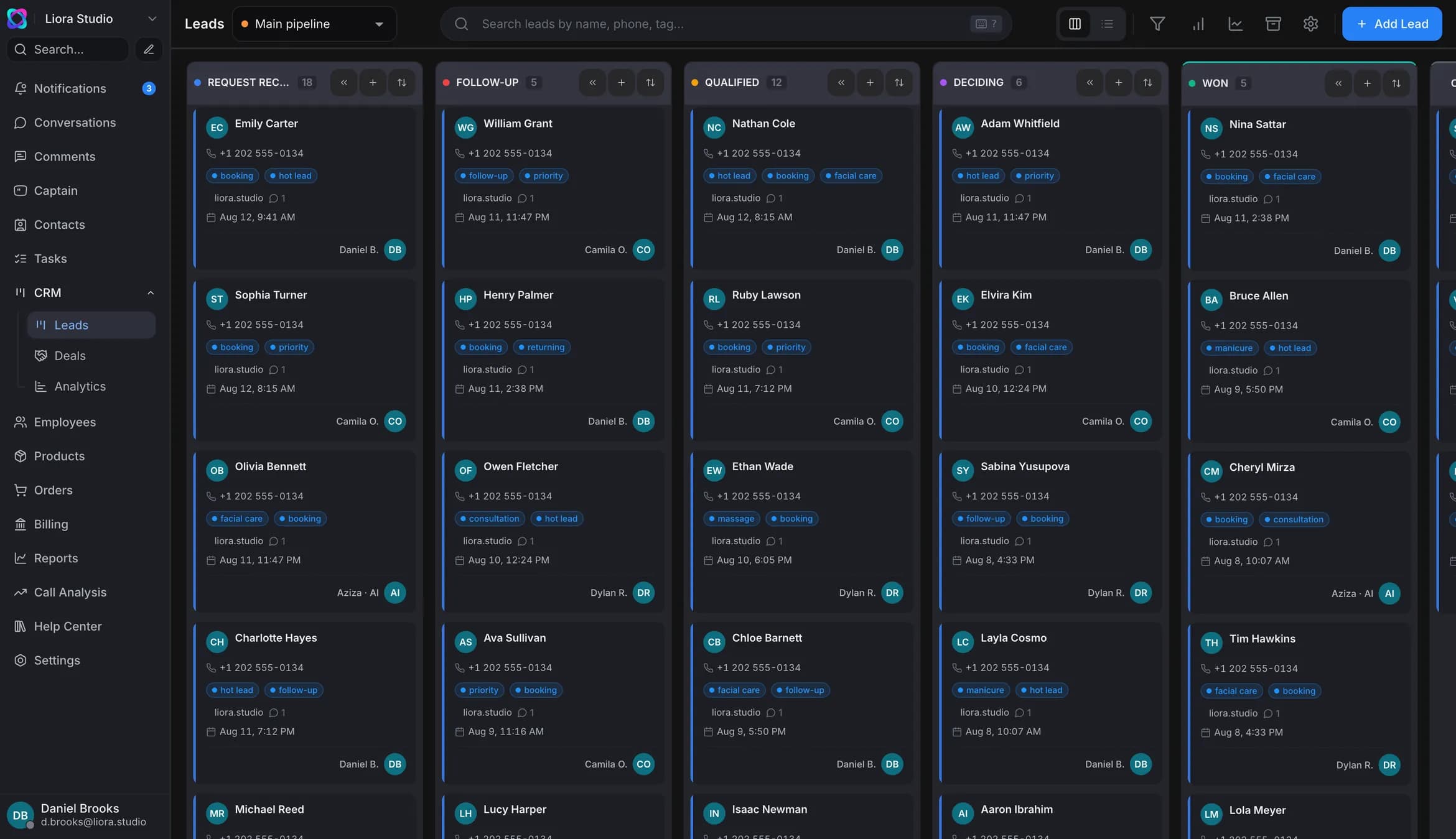
An AI CRM is a CRM where the AI, not the rep, fills the customer record: it listens to calls, reads chats from Instagram, Telegram and web chat, writes contacts, amounts and statuses, and scores the lead by your rules. Manual entry disappears from the end of the day — the rep is left with the conversation and the decision, and the manager sees the pipeline as it really is.
- The AI fills the record — from calls and chats
- One customer instead of four records in four channels
- The AI CRM is included in every plan — from Start up
The CRM gets filled in at night, from memory
All day the rep is on calls and in the DMs — there is no time to type. Some touches never reach the record at all, and the manager looks not at the pipeline but at whatever got written down.
Logging the day into the CRM adds an hour to the shift, so it gets skipped.
While the rep is dialling, the warm lead in the DMs goes cold.
Follow-ups live in the rep's head — alongside 60 open deals.
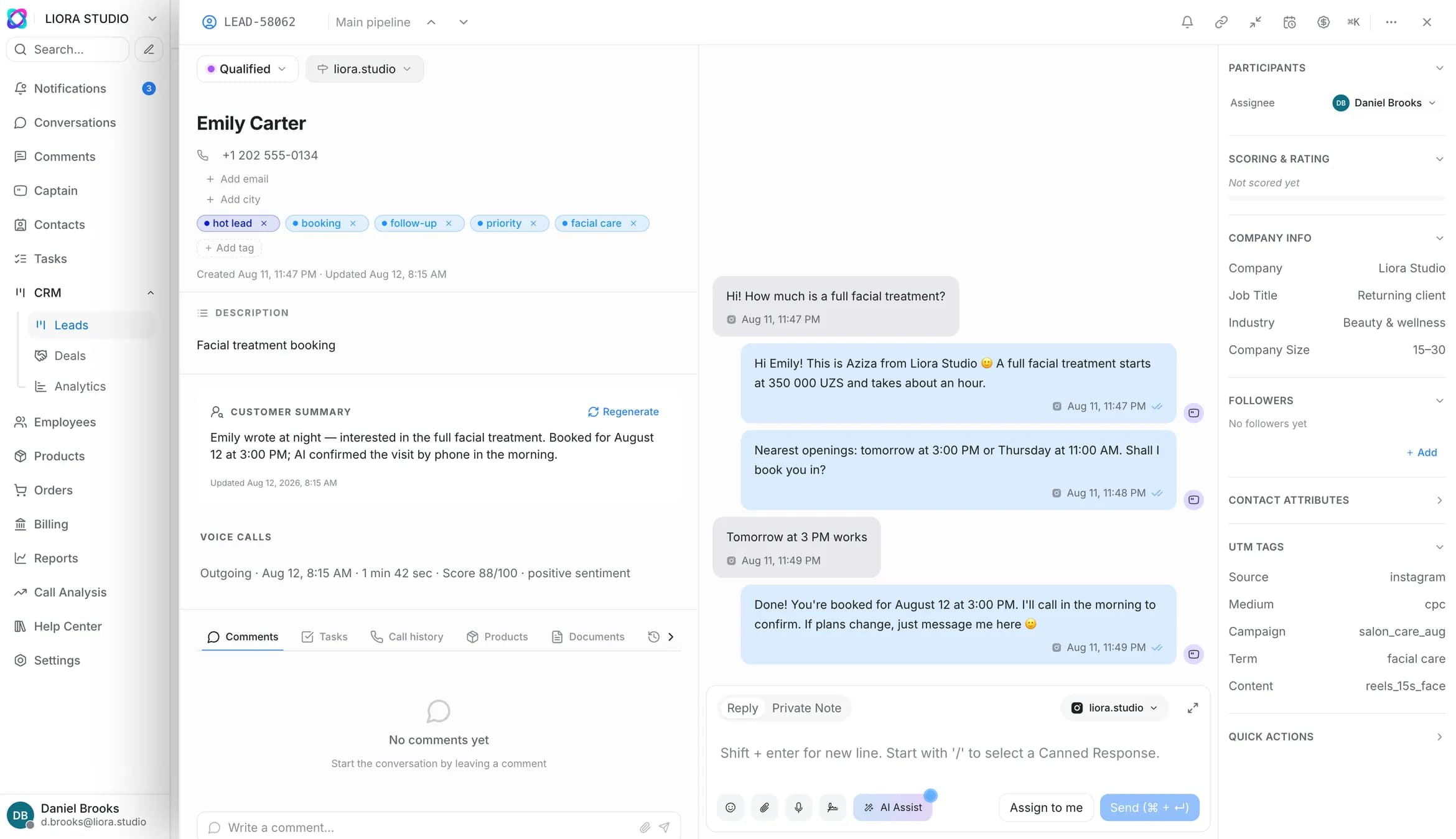
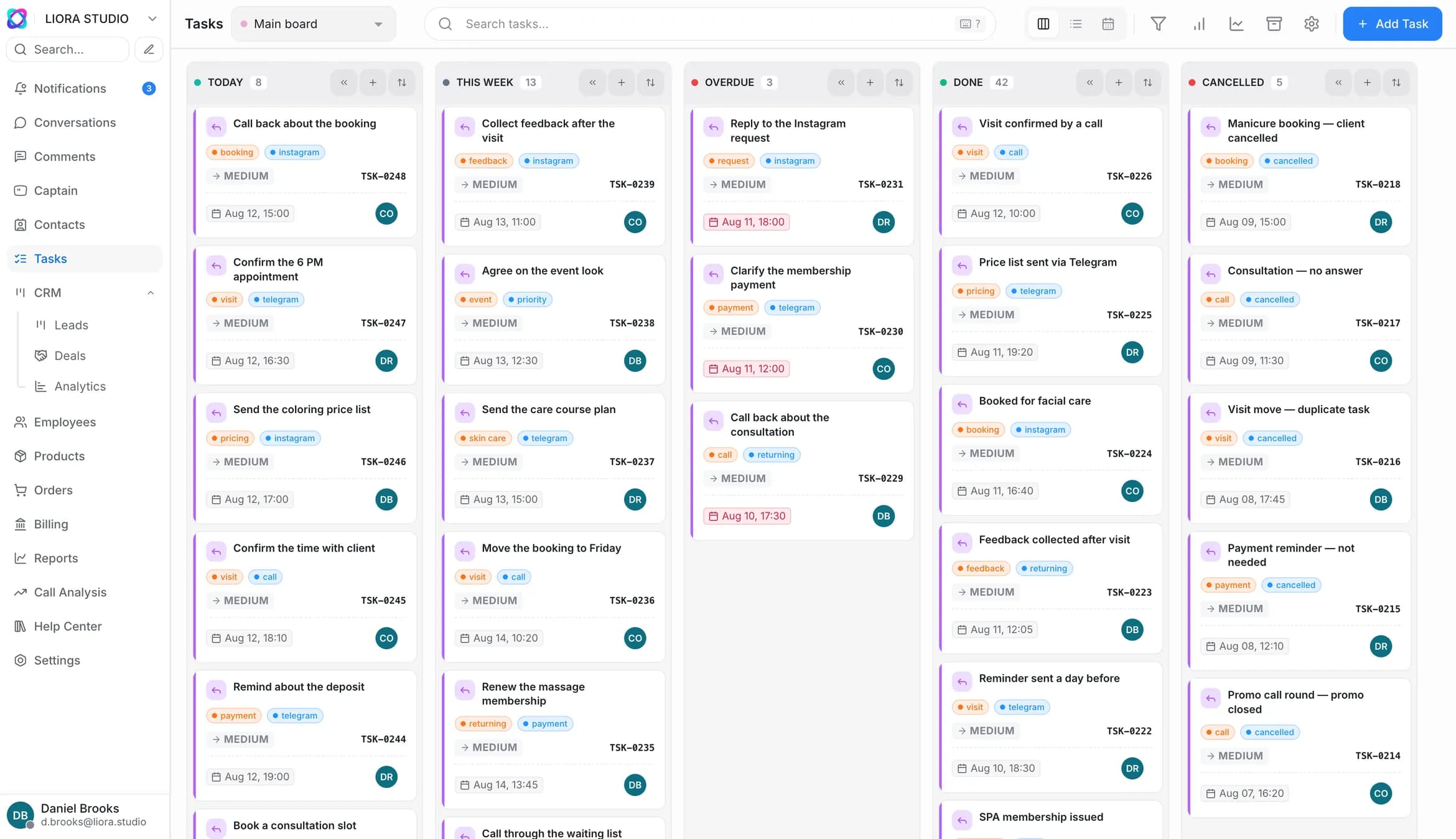
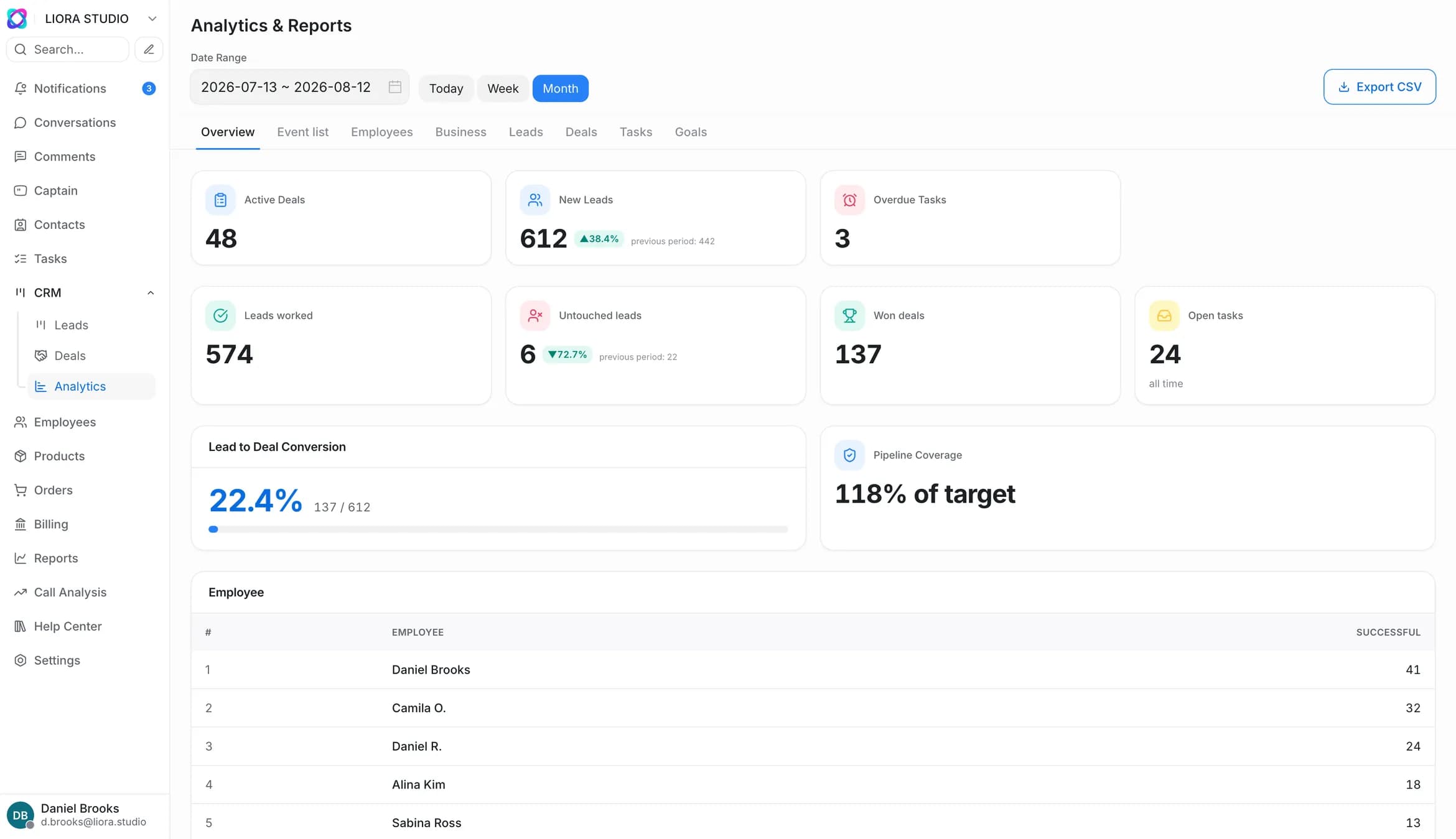
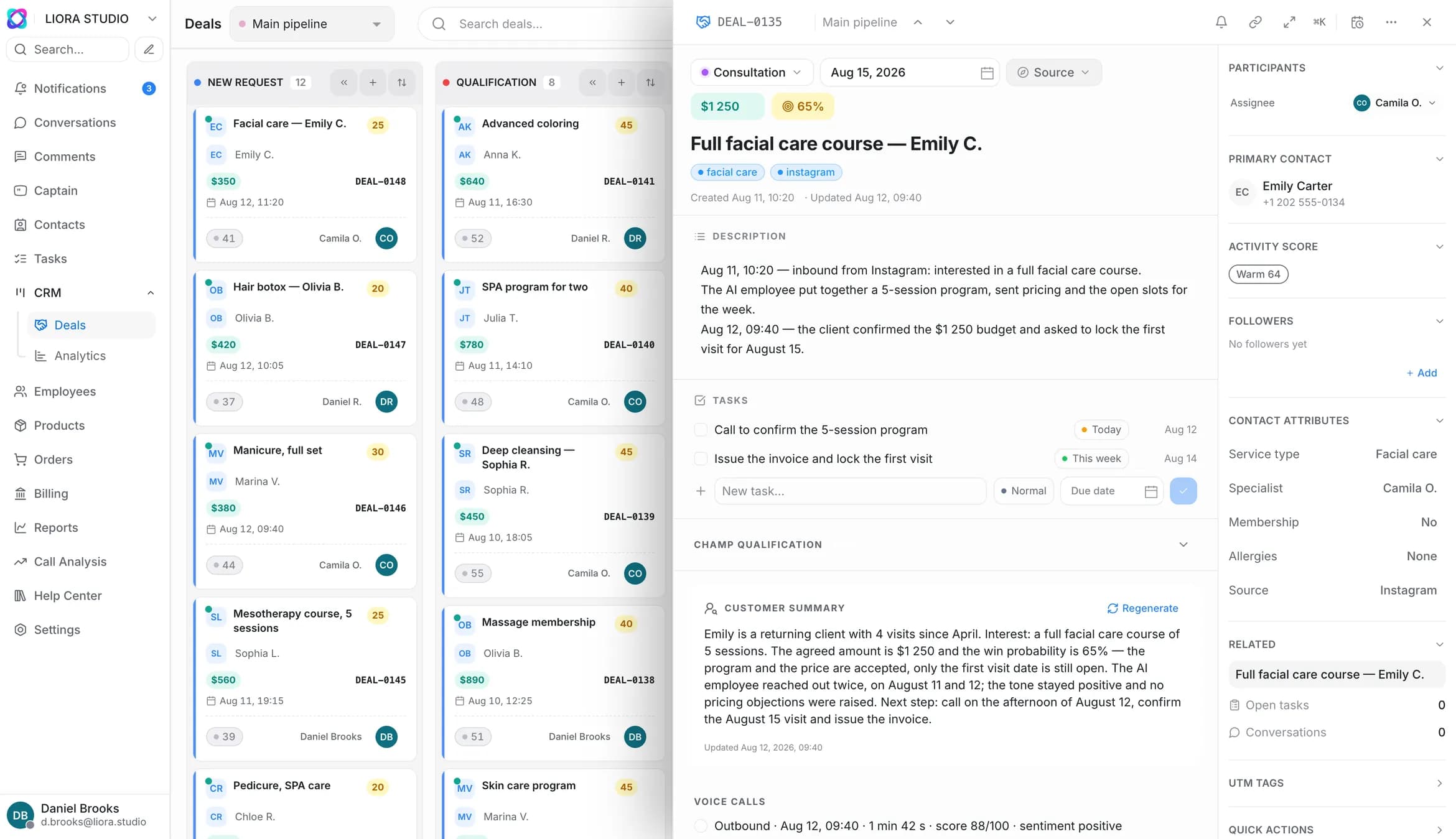
Leads, deals and tasks on one board
Boards and stages for your process: New Lead → Contact → Demo → Integration → Won → Lost. The AI moves the cards along the stages as the conversation goes on.
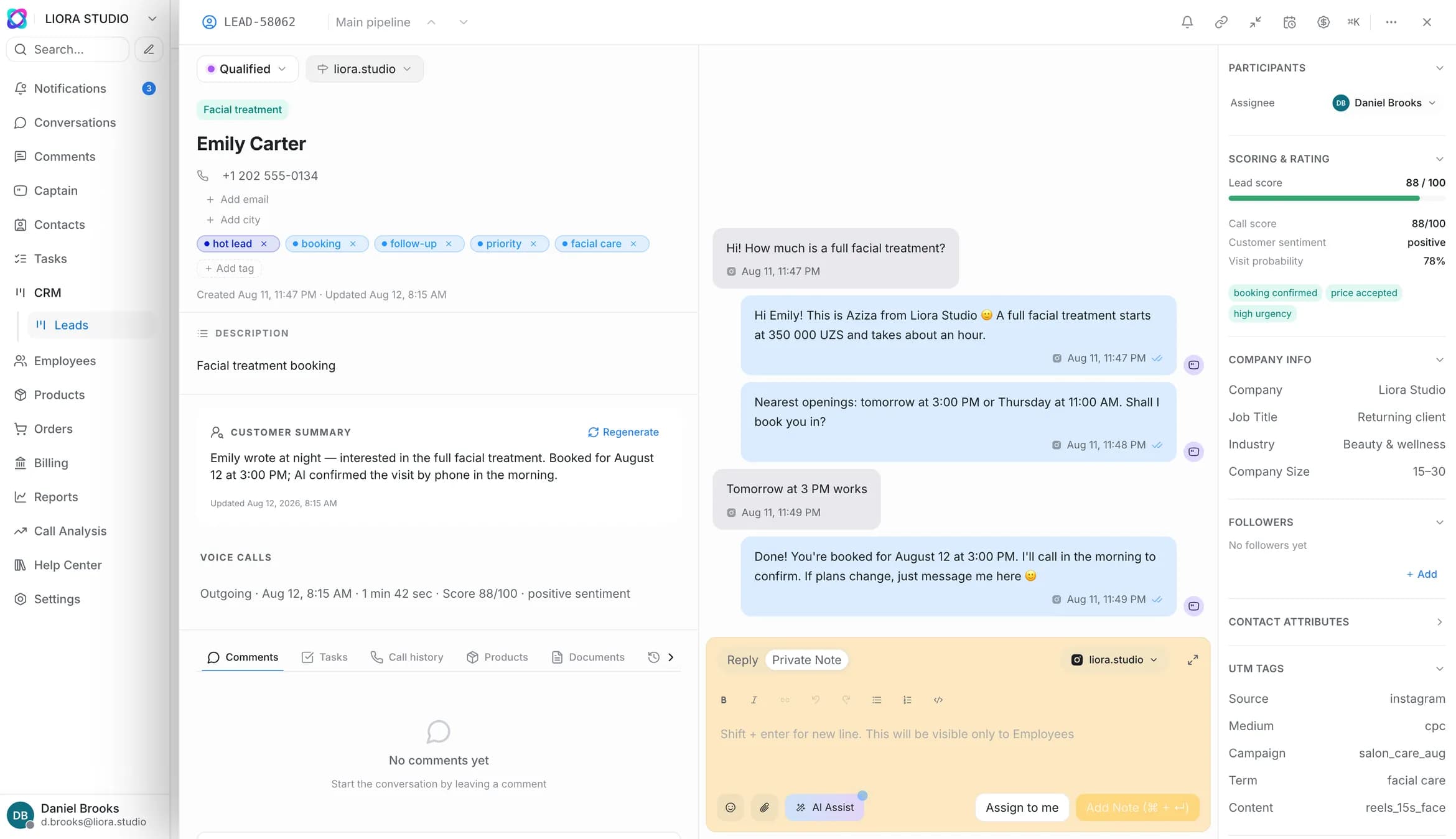
You can see where the lead came from and why it is hot: source, UTM and score are there before the rep even opens the record.
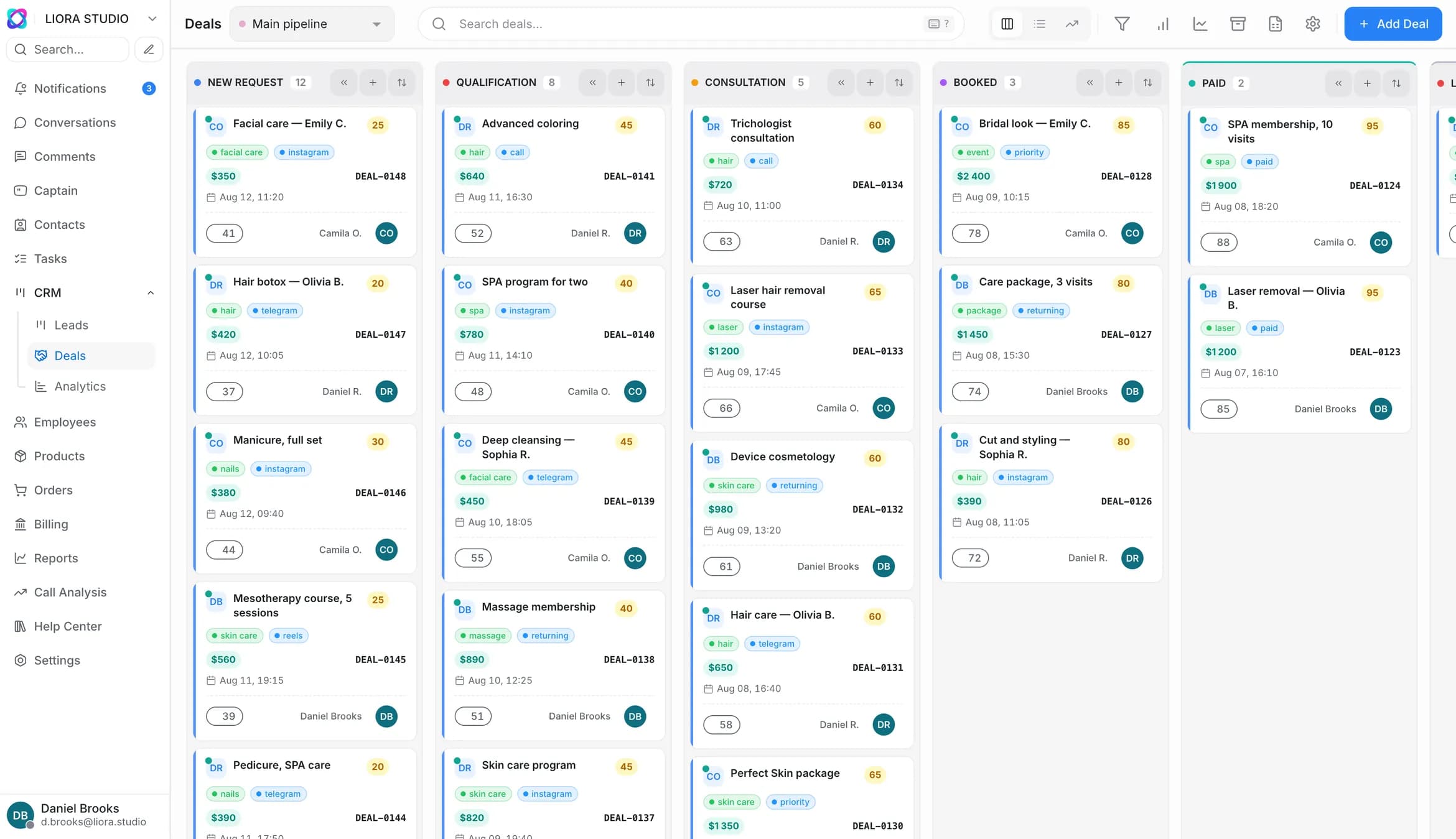
Leads with scoring, source and UTM
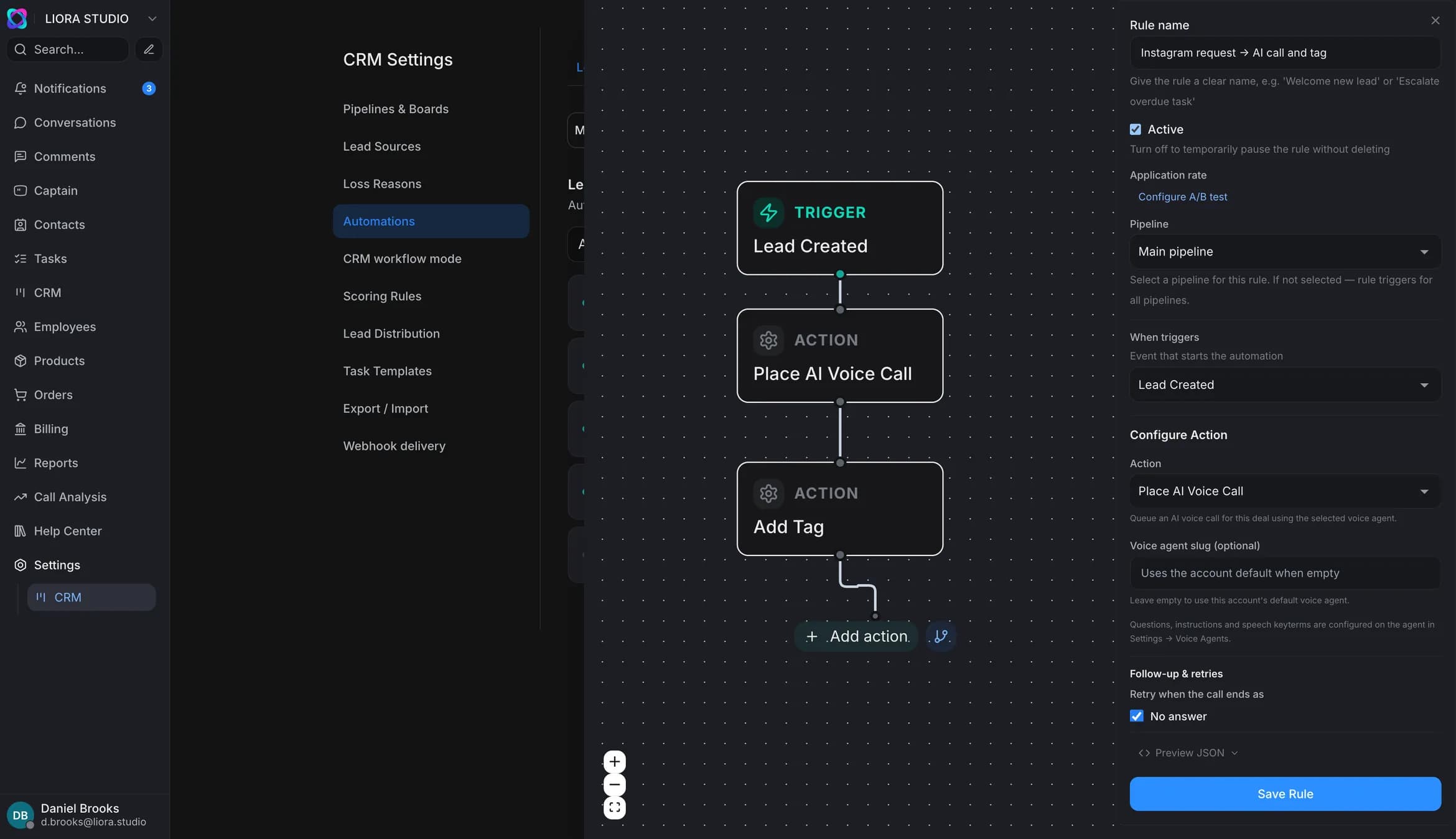
The pipeline runs on your rules
A visual “trigger → condition → action” builder: escalation, auto-assignment, reminders. You assemble it with a mouse — no integrator, no implementation budget.
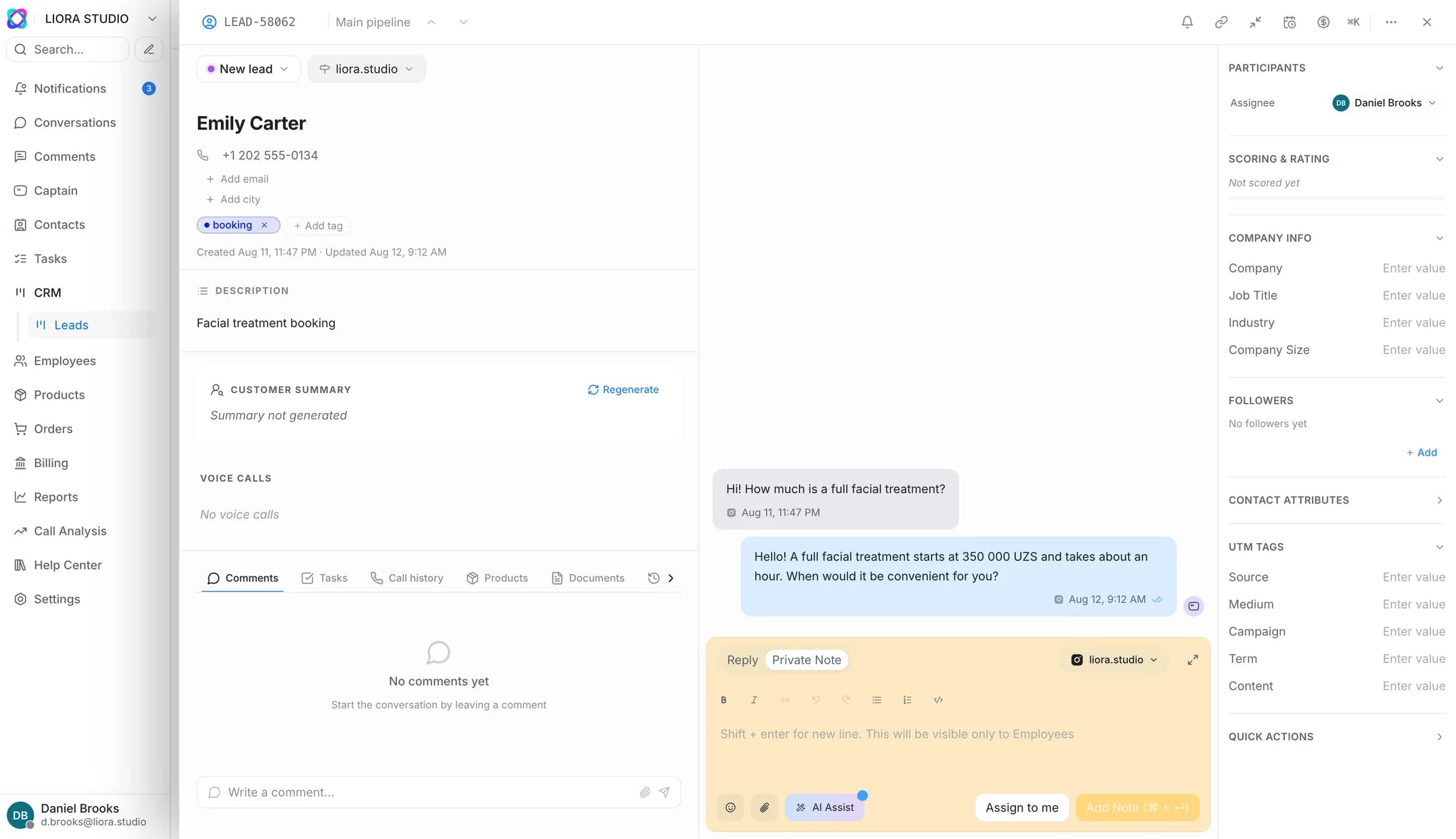
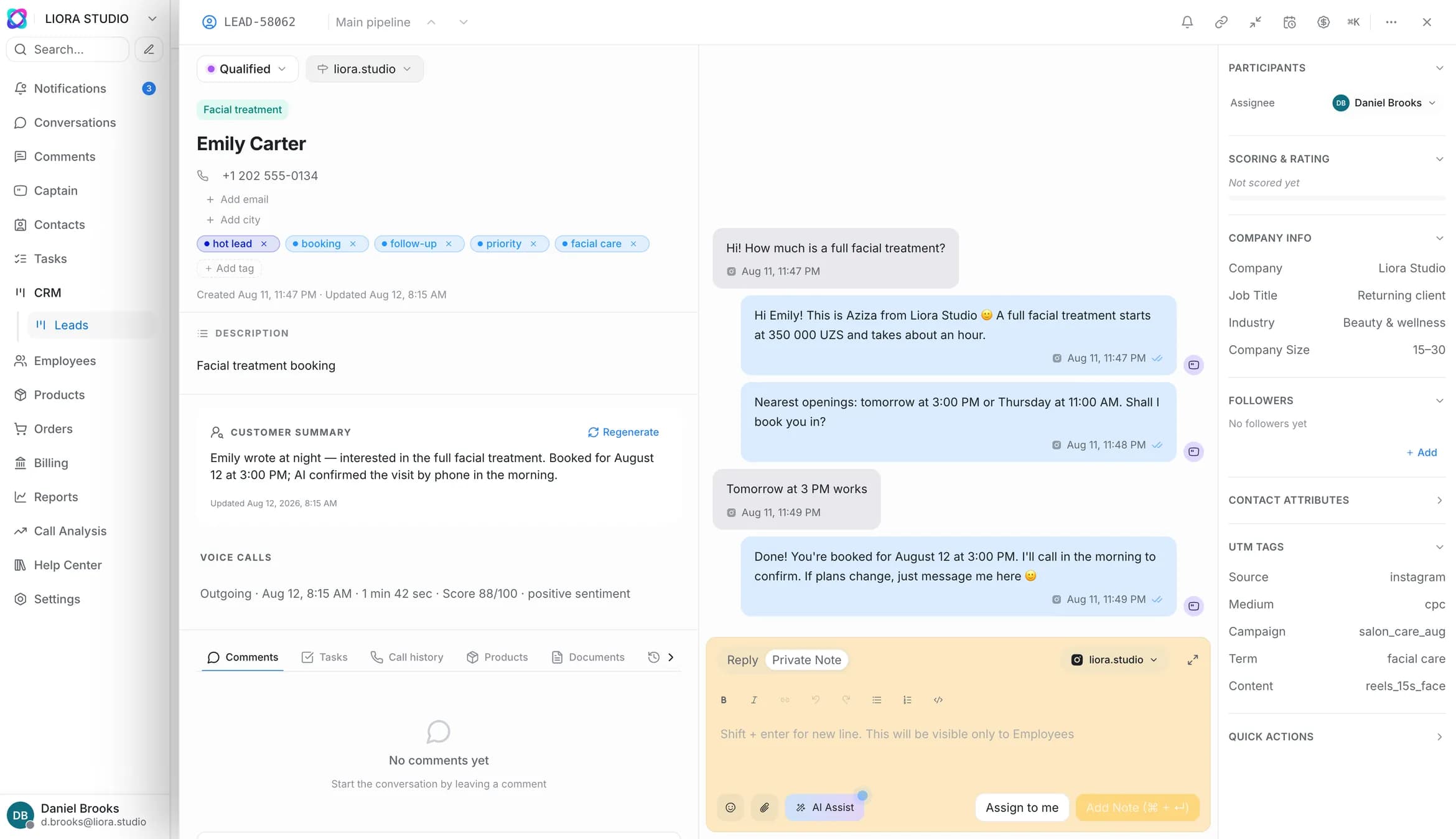
Before: a name and a phone number. After: source, interest, budget and next step
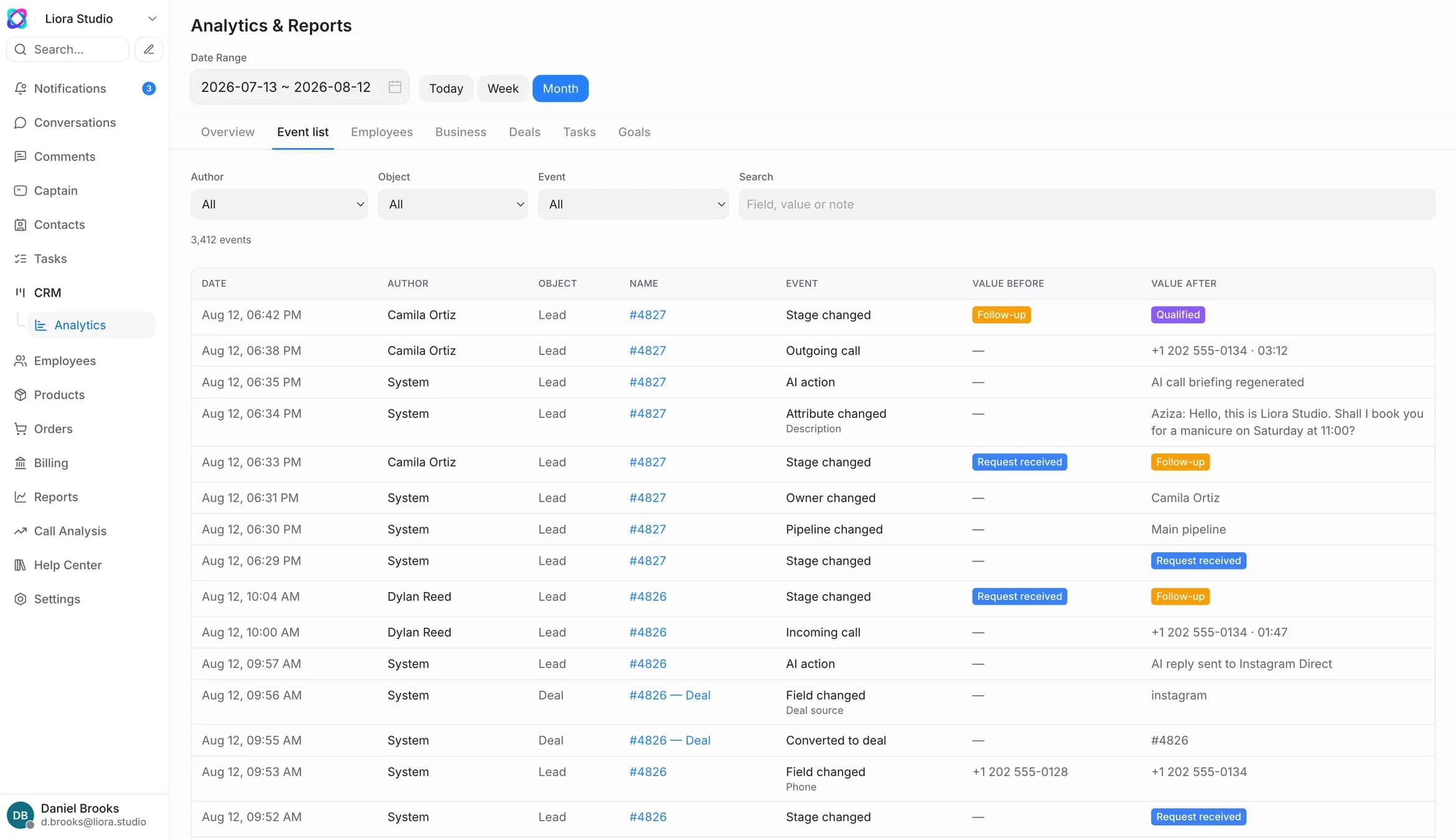
Every change under audit
A field the AI filled in can be corrected by hand — and the log keeps who changed it and when, an employee or the AI. Customer data stays inside your perimeter, and access is set by role.
Get a demo call for your team- Audit log: who changed the record and when — an employee or the AI
- Any field can be edited by hand, the history is kept
- Role-based access: assignee and reviewer
- AI analysis of 100% of calls for QA: up to 300 a month on Start, no such limit from the Business plan
The difference is who fills the record
Classic CRMs have a stronger widget ecosystem and a wider integrator network — that is fair. We win where they do not play: the AI fills the record, the customer is heard in their own language, and launching needs no contractor.
Frequently asked questions about AI CRM
How is an AI CRM different from a regular CRM?
An AI CRM is a CRM where the AI, not the rep, fills the customer record. In a regular CRM a person types the data in: after the call, at the end of the shift, from memory — and some touches never reach the record at all. In Zukko.AI the AI listens to the call, reads the chat in Instagram, Telegram and web chat, writes in the name, phone number, source and amount, sets the deal status and scores the lead by your own scoring rules. The rep is left with the conversation and the decision: no hour spent “finishing the CRM” at the end of the day, no report to write. The manager sees a pipeline built from actual conversations, not from whatever got written down. Any field can be corrected by hand — the audit log keeps who changed it and when, an employee or the AI. The AI CRM is included in every plan, from Start up — no separate fee for the CRM itself.
Which channels does the AI build the customer record from?
Instagram, Telegram, web chat, inbound calls and Payme/Click payments converge into one record. If a customer writes in the DMs and calls the next day, that stays one customer with a shared history, source and UTM — not two entries in two windows. Calls the AI holds by voice itself are AI calls, available only on the Enterprise plan.
Does it really fill itself, or do I still type things in?
The AI fills in contacts, statuses, amounts and qualification from calls and chats on its own. You can correct any field by hand at any time — the change goes into the audit log with the name of whoever made it. That is how the “what if the AI gets it wrong” question is answered: a mistake is visible and fixable, not dissolved into the data.
What does this give the rep, and what does it give the manager?
The rep gets back the hour at the end of the shift that used to go into logging the day, plus a first reply to every lead in seconds while they are on the phone. The manager gets a pipeline built from real conversations: probability, expected close date and win rate are computed automatically, with no Excel exports and no polling the team.
How long does setup take?
For small and mid-sized business — from 2 hours, on your own: you connect the channels, upload your base and launch the AI employee yourself. No integrator and no implementation budget. For larger business with integrations into corporate systems — up to 30 days.
Is Zukko.AI suitable for a clinic and for large business?
Yes. Clinics and medical centres run inquiries, appointments and repeat visits in the AI CRM; public references include the Republican Centre of Dermatology and Uzbekistan Airways. For large business and CIS banks there is an audit log on every action, role-based access and webhook delivery logging.
Do I pay for the CRM separately?
No. The AI CRM is included in every plan: Start — 699,000 UZS a month, Business — 3,900,000, Enterprise — from 10,900,000. You pay for AI usage and seats, not for the CRM itself. Call reviews are capped at 300 a month on Start, with no such limit from the Business plan. AI calls are available only on the Enterprise plan, from 15,000,000 UZS/mo for the whole product.
What does it integrate with, and who owns the data?
The AI CRM connects to Instagram, Telegram, telephony and Payme/Click payments, while from the Business plan webhooks and an open API link it to your systems. The data is yours: import and export with no plan limits, access by role and under an audit log.
Let the CRM fill itself
Connect your channels and records start filling from the first conversation. Set-up from 2 hours, no integrator needed. The AI CRM is included in every plan.
AI CRM in every plan · live in 2 hours