All your business analytics — no Excel exports, no third-party BI
Two analytics systems in one product: a live picture of support and the full sales funnel — from agent workload to a revenue forecast. No Excel exports, no third-party BI tools.
Two reporting systems in one product · launch from 2 hours
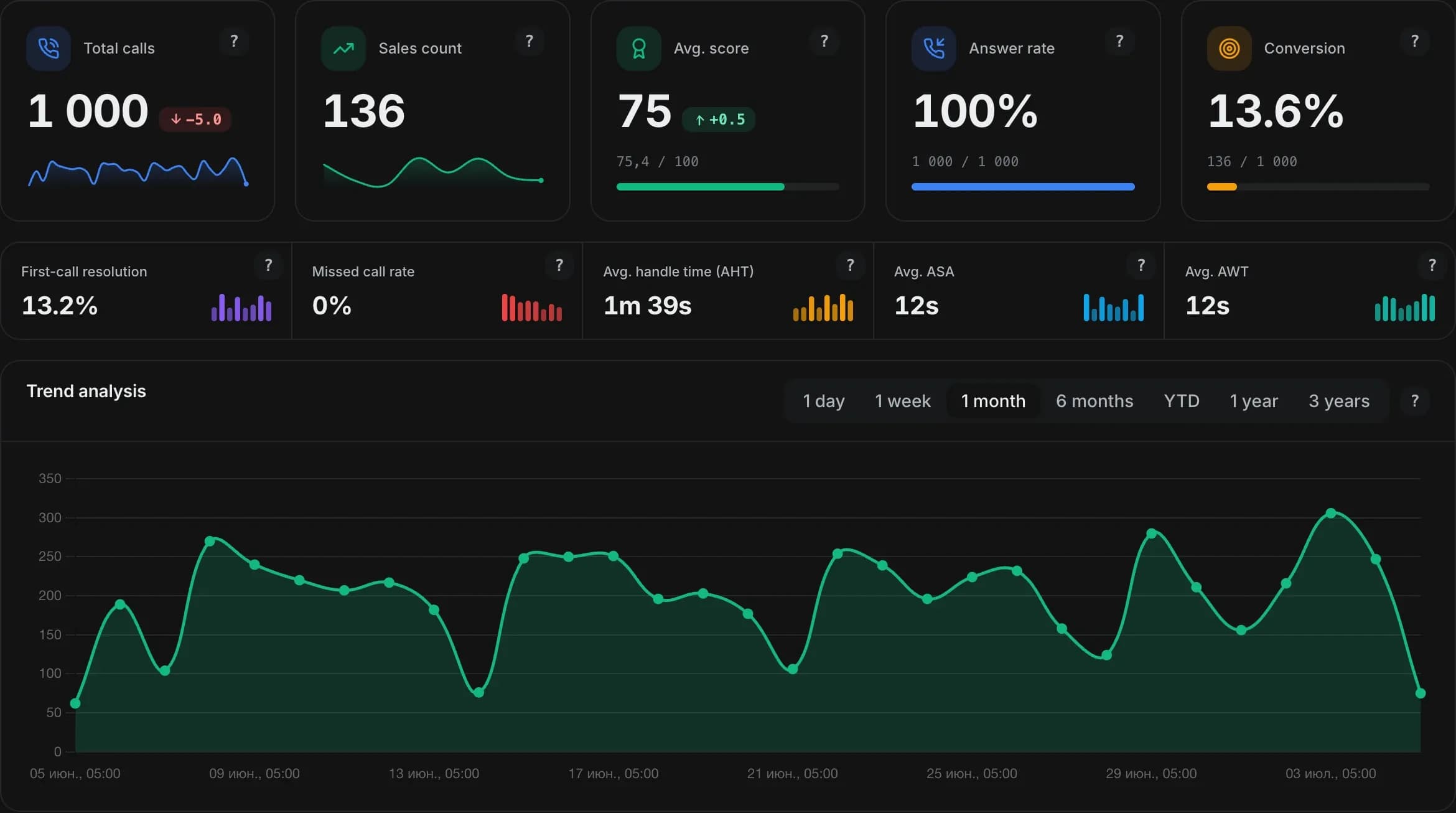
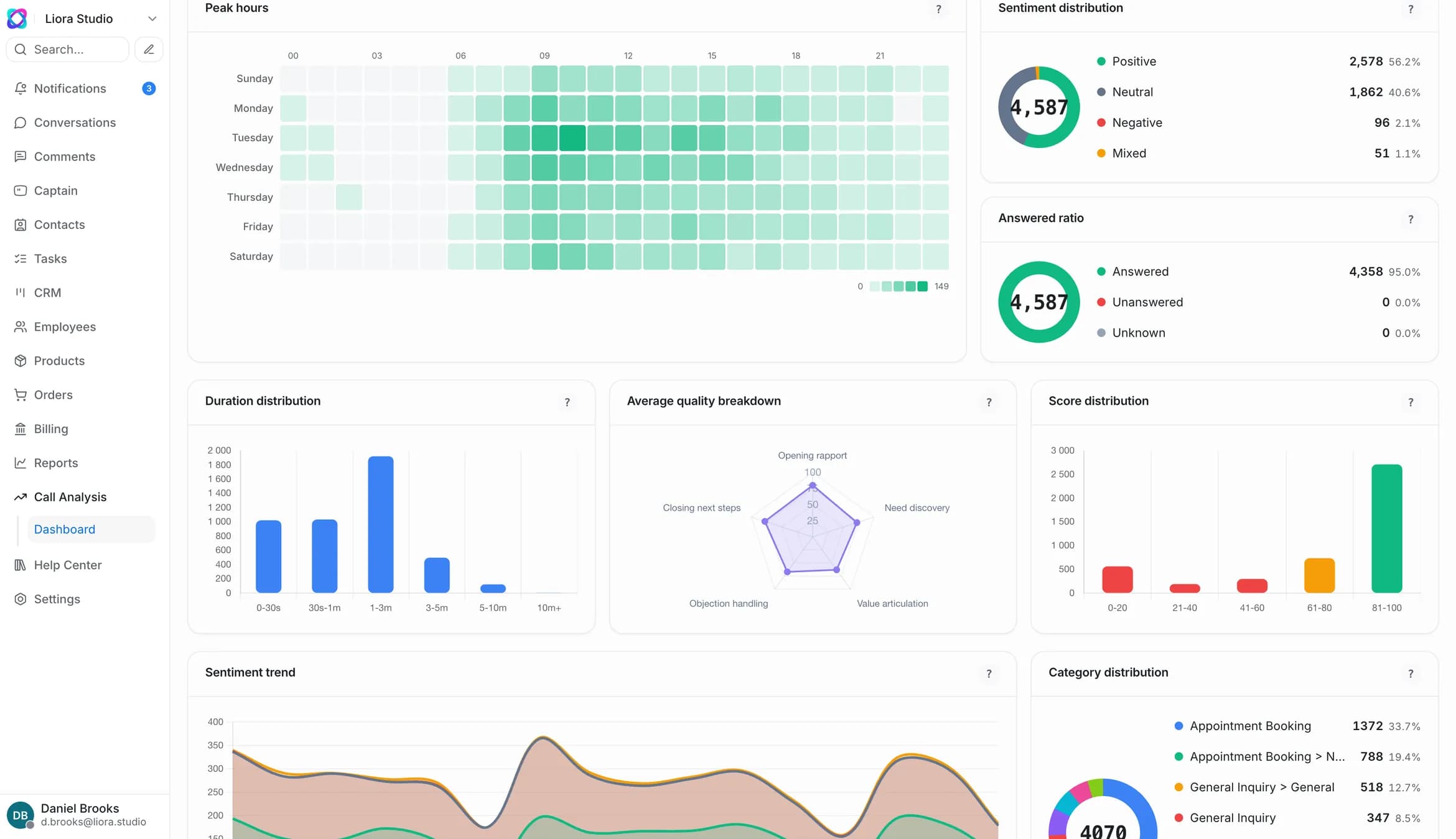
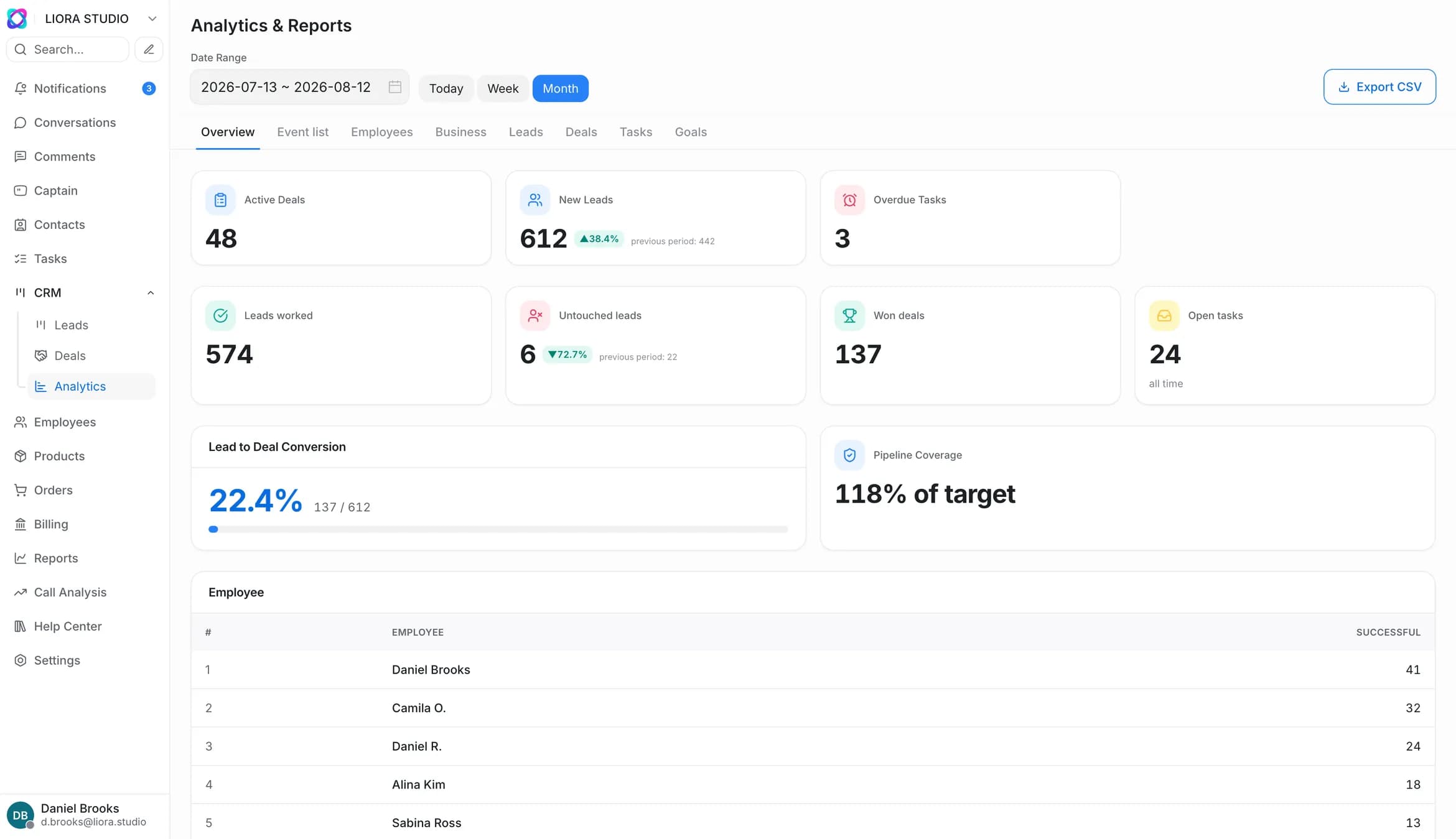
Support and sales — separate, but in one product
Reporting is split into two independent systems: one for customer service, the other for sales. Both live in one product and run on shared data.
Data you can trust
Shared properties across all reporting — why the numbers on the boards are trustworthy and how to tailor them to you.
Flexible periods
7 or 30 days, 3/6/12 months or a custom date range.
Data grouping
By day, week, month and year — adapting to the chosen period.
Working-hours mode
A “business hours only” toggle for honest speed and SLA metrics.
CSV export
On every report; heavy CRM exports arrive as a link by email.
Breakdowns
By employee, team, channel, tag, funnel and stage.
Role-based access
Only those with the right can see the reports — your data stays under control.
Every report helps you make a decision
Reports are for action, not numbers. Below — who each report serves first and what decision it helps you make.
| Report | Who it’s for first | What decision it helps make |
|---|---|---|
| Overview (live) | Support manager | Move people to the peak right now |
| Conversations | Owner / support manager | Hire or automate as volume grows |
| Employees | Support manager | Who to train, who to reward |
| Channels | Owner | Which channels to grow or cut |
| Tags | Product and support | What to automate, what to fix in the product |
| Teams | Manager | Whether to change the team structure |
| CSAT | All levels | Which customers to win back, which agents to reward |
| Bot | Owner | Whether the bot pays off, what to improve |
| SLA | Manager / KAM | Where commitments break, how to avoid penalties |
| CRM overview | Head of sales / owner | The overall pulse of sales |
| Leads | Head of sales / marketing | Where to spend budget, where to fix the funnel |
| Deals | Head of sales | Which deals to save, why we lose |
| Tasks and activities | Head of sales / reps | Who keeps the pace, how many touches it takes |
| Goals | Head of sales / reps | Whether we’re on plan |
| Forecast | Head of sales / owner | Whether we’ll hit plan, where the bottlenecks are |
| Automation insights | Owner / COO | How much AI saves, what to scale |
Or you can just ask
No ready-made report for your question? The AI analyst answers in plain words — in Russian or Uzbek — and builds the report itself. Ask it like a fellow analyst: the answer comes as a number, table or chart.
See the AI analystFrequently asked questions about reports and analytics
Do I need a separate BI tool?
No. Both reporting systems are built into the product: support reports and CRM analytics assemble from your data. No separate BI, no exports, no stitching in Excel.
Can I export data to Excel or CSV?
Yes. Every report supports CSV export. Heavy CRM exports are prepared in the background and arrive as a link by email, so the panel stays fast.
Who can see the reports?
Role-based access: reports are open only to users with the right permission or to admins. A regular employee sees their own tasks and results, not all of the analytics.
What period is the data available for?
For a flexible period: 7 or 30 days, 3/6/12 months or a custom date range. Grouping adapts — by day, week, month or year.
How are reports different from the AI analyst?
Reports and dashboards are ready-made boards for sales and support. The AI analyst answers any question in words and builds the report itself. They work together: boards for the regular, the AI analyst for one-off questions.
Does it count only working hours?
If you want — yes. There’s a “business hours only” toggle: response speed and SLA metrics are counted honestly, without nights and weekends.
All your business analytics — in one product
Connect your channels and get both reporting systems at once. Self-service launch — from 2 hours, no analyst and no formulas.
Onboarding from 2 hours · CIS banks and large businesses — up to 30 days